Granola Launches Apple Watch App for Tap-to-Record Meetings
Granola Brings AI Meeting Notes to Your Wrist Granola, the AI-powered meeting note-taking app, has launched an Apple Watch app — letting users record and
Researched and drafted with AI assistance, then screened by automated editorial checks before publishing. How we work.

Granola Brings AI Meeting Notes to Your Wrist
Granola, the AI-powered meeting note-taking app, has launched an Apple Watch app — letting users record and transcribe in-person meetings with nothing more than a tap on the wrist. The move pushes into new territory for AI productivity tools at the hardware layer, and signals a broader industry reckoning about how workers are supposed to capture conversations that happen away from a desk.
Available now and free to existing Granola users, the Watch app requires watchOS 11 or later and the Granola iPhone app as a companion. It's a small but strategically pointed release: rather than building or integrating with new wearable hardware, Granola is betting on the device already sitting on millions of wrists. The launch, announced on July 28, 2026, arrives months after Granola crossed into unicorn territory with a $125 million Series C round led by Index Ventures earlier in 2026.
The Problem Granola Is Solving — and Why It's Harder Than It Looks
Granola built its reputation on a straightforward insight: meetings happen constantly, memory is fallible, and AI can bridge the gap. Its desktop and mobile apps transcribe conversations and generate structured notes automatically, freeing participants to actually pay attention rather than furiously type. But that workflow has a blind spot — the moments when opening a laptop is impractical, awkward, or just plain rude.
The Granola team identifies three recurring scenarios where a phone or laptop creates friction:
- Brainstorming at a whiteboard — where both hands are often in use and a phone on the table feels like a barrier
- Walking one-on-ones — the kind of candid, ambulatory conversations that managers and their reports often prefer precisely because they happen away from screens
- Casual conversations over coffee — where pulling out a phone reads as distraction rather than diligence
In each of these cases, the social cost of introducing a device is real. The Apple Watch sidesteps it almost entirely. The screen is small enough to be non-intrusive, and activating a recording with a tap is functionally invisible to everyone else in the room. According to Granola's own blog post, the team's internal philosophy is blunt: "Instead of creating a new device for you to remember to take with you, we think the best wearable is one you're likely to have already."
How the Apple Watch App Actually Works
The interaction model is deliberately minimal. Granola's design team resisted the temptation to replicate the phone experience on a small screen, instead reducing the entire workflow to a two-tap loop.
Starting and Stopping a Recording
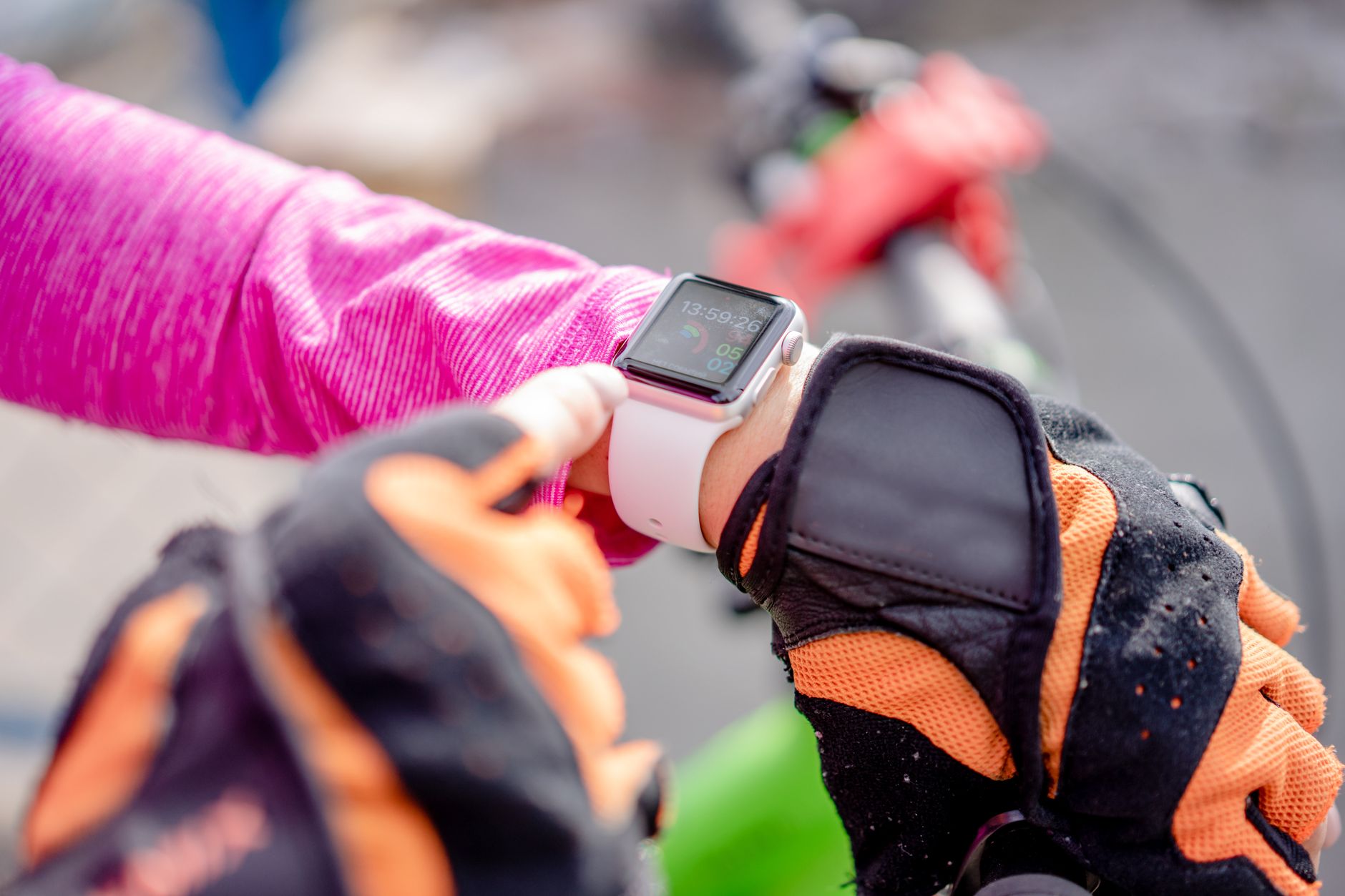
- Tap your wrist to begin. The watch screen turns Granola's signature bright green and plays an audio confirmation to indicate the session is live.
- Put your arm down and focus on the conversation. The app runs entirely in the background.
- Tap again when the meeting ends. Notes are processed and synced to your phone and computer "in moments," according to the company.
Scheduled Meeting Reminders
For users with calendar integrations set up, the Watch app delivers a subtle haptic tap before a scheduled meeting begins — a prompt to start recording before the conversation gets going, rather than scrambling to launch an app mid-sentence. It's a small but meaningful ergonomic detail: the cognitive overhead of remembering to record gets replaced by a nudge from the device itself.
Watch Face Complications
For ad-hoc meetings with no calendar entry, users can add Granola as a complication on their watch face, giving them single-tap access to start a new note at any time without opening the app. The complication model is Apple's standard mechanism for surfacing glanceable utility on the watch face, and it suits something like a meeting trigger perfectly — accessible in under two seconds.
Sync and AI Integration
Once a session ends, notes sync automatically to Granola on iPhone, Mac, or Windows — wherever the user prefers to do their post-meeting work. The app also connects to Granola MCP, the company's Model Context Protocol integration, which lets notes captured on the watch become live context inside connected AI tools. A conversation captured on a walk could, minutes later, be feeding a draft email or a project summary inside a separate AI assistant — no manual copy-pasting required.
Internal Testing: A Telling Behavioral Shift
Before the public launch, Granola ran internal tests with employees who already owned Apple Watches. The result, as reported by TechCrunch and attributed to the company itself, was striking: when employees with Apple Watches tested the app, "a big chunk of their mobile usage switched from iOS to the Watch." It's worth noting this is Granola's own internal figure rather than an independently verified metric.
The company's own blog post adds texture to that data point: "What surprised us is how natural it feels: many of us now leave our laptops closed — even in meeting rooms — while Granola takes notes in the background."
That second observation is the more consequential one for the product's long-term trajectory. The Watch app was designed for meetings away from a desk, but the internal team found themselves choosing it even when a laptop was right there. That suggests the friction reduction is significant enough to change habits in contexts the product wasn't originally built for. If that finding holds for a broader user base, Granola could see meaningful changes in its iOS app engagement metrics — not as a failure, but as a platform transition.
Why Granola Chose the Watch Over New Hardware
The past year has seen a wave of auxiliary recording devices — small, purpose-built gadgets that clip to a collar or sit on a conference table and pair with a smartphone app. According to TechCrunch's reporting, Granola said it considered it easier to develop an app for Apple Watch than to integrate with another hardware product at this stage of the company's growth.
That's a pragmatic calculus worth unpacking. Third-party hardware integrations bring supply-chain dependencies, firmware maintenance, Bluetooth reliability headaches, and a purchasing barrier for users who have to acquire yet another gadget. An Apple Watch app, by contrast, lands on a device the target demographic — knowledge workers who attend a lot of meetings — already owns at a notably high rate. The distribution channel is the App Store. Updates are automatic. The support surface is Apple's, not Granola's.
Why it matters: Granola's choice to ship a Watch app rather than partner with a hardware accessory maker reflects a maturing philosophy among AI productivity startups — leverage existing device ecosystems rather than betting on novel form factors that require users to change their carrying habits.
Co-founder Chris Pedregal framed the core use case to TechCrunch in straightforward terms: as the outlet paraphrased him, the Watch app is meant to capture in-person meetings without users needing to take their phones out of their pockets — for example, during a walking one-on-one. That framing emphasizes presence over utility — the goal isn't just to record, but to record in a way that doesn't visibly alter the social dynamics of the room.
The Competitive Landscape: Wrist-Level AI Notes Are Heating Up
Granola isn't operating in a vacuum. TechCrunch notes that competitor Monologue, a dictation-focused app, added meeting note-taking support — covering both online and offline modalities — along with its own Apple Watch support earlier this year. The convergence on wrist-based recording isn't a coincidence; it reflects a shared recognition that the last remaining friction point in AI note-taking is physical access to the device doing the recording.

| Feature | Granola (Apple Watch) | Monologue (Apple Watch) |
|---|---|---|
| Primary use case | In-person meeting transcription & AI notes | Dictation + meeting notes (online & offline) |
| Watch interaction | Tap to start/stop; complication shortcut | Watch support (details not disclosed in sources) |
| Calendar reminders on wrist | Yes — haptic alert before scheduled meetings | Not confirmed in available sources |
| MCP / AI tool integration | Yes — Granola MCP | Not confirmed in available sources |
| Sync targets | iPhone, Mac, Windows | Not confirmed in available sources |
| Minimum watchOS | watchOS 11 | Not confirmed in available sources |
| Cost | Free (as Watch add-on) | Not confirmed in available sources |
The broader competitive set also includes the growing class of AI meeting assistants — tools like Otter.ai, Fireflies, and others — that have focused almost exclusively on video-conferencing platforms like Zoom and Google Meet. Granola's Watch app sharpens a meaningful differentiator: offline, ambient, in-person capture, which none of those platform-native integrations can replicate. As hybrid work matures and in-person meetings regain their pre-pandemic cadence, that gap could become increasingly significant commercially. This broader shift in workplace AI tooling is also reflected in the fact that big companies are starting to hire again, suggesting demand for productivity tools that work across office environments — not just remote setups — is growing.
A Limited-Edition Strap and the Attention Economy
Alongside the app, Granola released a small, distinctly non-tech accompaniment: a limited-edition Apple Watch strap hand-woven by London-based textile artist Nowshin Prenon from a custom silk-and-cotton blend. Only a handful were made. The company's blog post describes it as "a small reminder to stay present and follow the thread of the conversation."
The strap won't move the needle on revenue or user acquisition, but it's a savvy piece of brand storytelling. It reinforces the product's core message — that using technology to record a meeting is, paradoxically, a way to be more present in it, not less — and it anchors the launch in a tangible physical object likely to surface in the right people's social media feeds. For a company that built its brand on being the thoughtful, non-intrusive meeting tool, the gesture fits.
Technical Setup: What Users Need to Get Started
Getting the Granola Watch app running is straightforward for existing users, though there are firm prerequisites:
- Apple Watch running watchOS 11 or later — watchOS 11 requires Apple Watch Series 6, SE (2nd generation), or Apple Watch Ultra or later, so older Series 4 and Series 5 hardware is not supported.
- Granola for iPhone installed, updated, and signed in — the Watch app is a companion, not a standalone product, and relies on the iPhone app for account authentication and note sync.
- Follow the in-app Watch setup instructions after signing in to pair the two apps.
- For complications, add Granola to the watch face through watchOS's standard complication picker.
The app is free, and Granola has published a feedback address — hey@granola.so — signaling that this is a v1 release the team actively intends to iterate on based on how people actually use it.
Key Takeaways
- Granola launches Apple Watch app — free for existing users, requiring watchOS 11+ and the Granola iPhone app.
- The app reduces in-person meeting capture to a two-tap workflow: tap to start, tap to stop, notes appear on phone and computer moments later.
- Calendar-aware haptic reminders and watch face complications make the recording trigger ambient and frictionless.
- Granola MCP integration means watch-captured notes can feed directly into connected AI tools, extending the note's utility well beyond a raw transcript.
- Internal testing (a company-reported figure) found employees voluntarily shifting a large chunk of their mobile usage from the iOS app to the Watch — a behavioral shift suggesting the UX simplicity has broad appeal beyond edge-case scenarios.
- The company chose the Watch over new third-party hardware integrations for pragmatic distribution, reliability, and zero-acquisition-cost-to-user reasons.
- Competitor Monologue has also added Watch support, signaling that wrist-level AI note capture is becoming a category expectation rather than a point of differentiation.
- watchOS 11 compatibility requires Apple Watch Series 6 or later — Series 4 and Series 5 devices are not supported.
What Comes Next for Granola and Wrist-Level AI
The v1 Watch app is intentionally minimal, and the team's open solicitation of feedback through a direct email address points to a rapid iteration cycle ahead. The most obvious surface area for future development is richer on-wrist feedback — a glanceable summary of key action items, for instance, or a live indicator confirming the recording is working as expected. Deeper Siri integration, custom complications that surface the most recent note, and tighter sync latency are all plausible near-term additions.
At a macro level, Granola's move puts pressure on the entire AI note-taking space to think seriously about hardware access points beyond the laptop. The Watch app may be less a final answer and more a proof of concept for ambient, always-present AI capture. As AI models become increasingly capable of handling massive context windows and complex reasoning tasks, the bottleneck in AI-assisted work shifts steadily toward data capture and input quality — exactly the problem Granola is now solving on your wrist.
Topics
Sources
Comments(0)
No comments yet. Be the first to share your thoughts.
Join the conversation
Your email stays private and comments are reviewed before appearing.


